300CD RFID ID/IC Card Copier — User Manual (English)
1. Product Overview
The 300CD is a portable RFID card/key-fob reader, writer and cloner.
It supports:
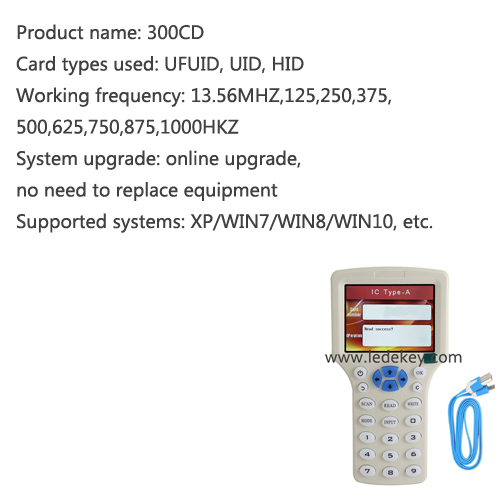
- Low frequency: 125 kHz / 250 / 375 / 500 / 625 / 750 / 875 / 1000 kHz
- High frequency: 13.56 MHz (ISO14443A/B)
- ID cards, IC cards, HID prox cards (partial support)
Read support
- 125 kHz: EM4100, EM4200, TK4100, TK4168
- 13.56 MHz: MIFARE S50/S70, F08, UID, Ultralight, NTAG203/213/215/216
- HID 125 kHz proximity formats (1386/1326/1346 read-only)
Write support
- 125 kHz: T5577, EM4305, EM5200, etc.
- 13.56 MHz: UID / CUID / FUID / UFUID rewritable cards
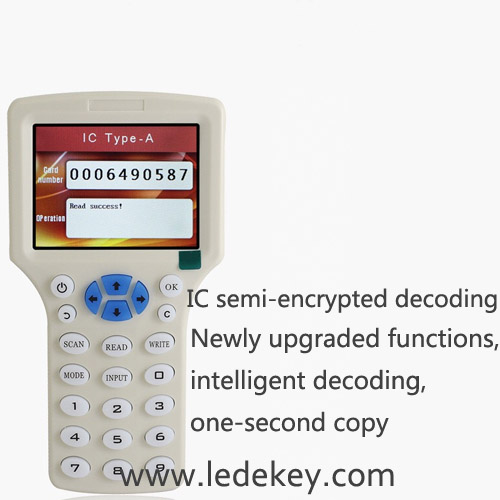
⚠️ Fully encrypted MIFARE cards cannot be directly cloned. Semi-encrypted sectors may require PC software decoding.
2. Device Layout
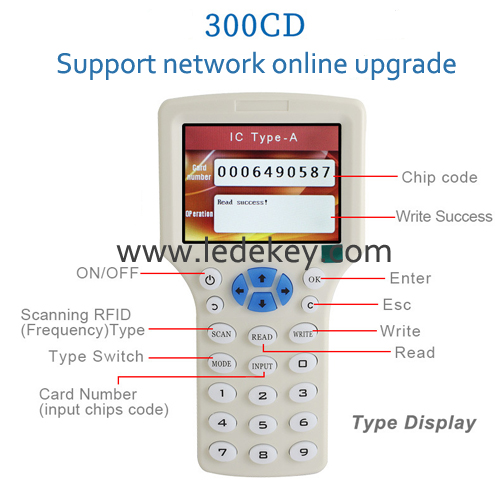
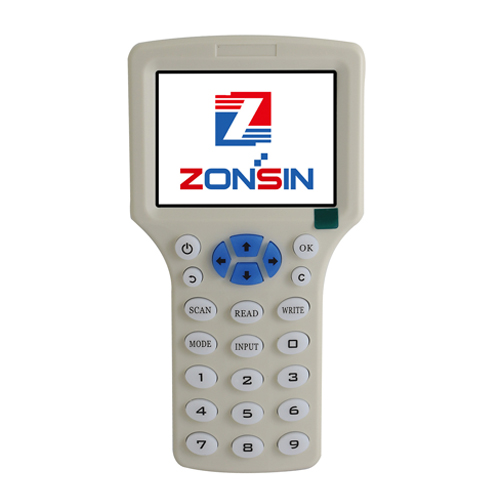
- Power / ON-OFF
- OK / Enter
- SCAN / READ
- WRITE
- MODE – switch frequency or card type
- INPUT – manual card number entry
- Numeric keypad
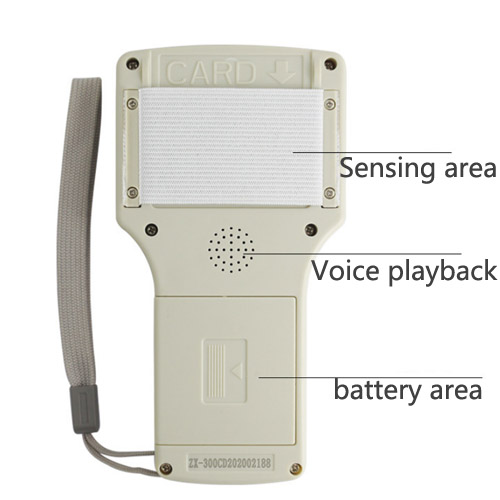
- Induction area – back of device
- Micro-USB port
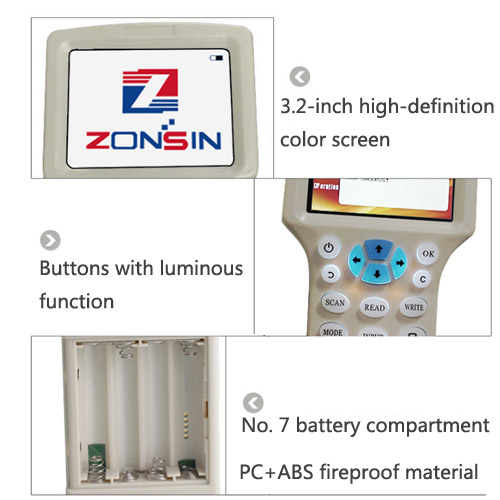
Display: 2.9″ color LCD, English/Chinese menu
3. Power Supply
- 4 × AAA batteries, or
- 5 V Micro-USB (power bank / PC / adapter)
No driver needed for basic standalone use.
4. Basic Operation — Copy an Unencrypted Card
Step 1: Power on
Press
ON/OFF, then press
OK to accept disclaimer.
Step 2: Read original card
- Place original card/key fob on the back induction area.
- Press SCAN or READ.
- Screen shows:
- Card type
- Frequency
- Card number / UID
- “Read Success”
Step 3: Prepare blank card
- Use a writable card matching the original:
- 125 kHz → T5577 / EM4305
- 13.56 MHz → UID / CUID / FUID
Remove original card. Place blank card in same position.
Step 4: Write
- Press WRITE.
- Wait for “Write Success”.
- Test cloned card on the target reader.
5. Manual Input Mode
If you already know the card number:
- Press INPUT.
- Select card type / frequency with MODE.
- Enter ID/UID using keypad.
- Place blank card, press WRITE.
Useful for generating a card without the physical original.
6. Frequency / Card Type Switching
Press
MODE to cycle through:
- ID 125 kHz
- ID multi-frequency
- IC 13.56 MHz (A/B)
- HID 125 kHz
- Manual input
Make sure the blank card matches the selected type before writing.
7. PC Software Connection (Advanced / Encrypted Cards)
Requirements
- Windows 7 / 10 / 11
- Micro-USB cable
Steps
- Power on device, stay on disclaimer screen (do NOT press OK).
- Connect to PC via USB.
- PC detects a USB flash drive.
- Run installer from device storage:
NFC PM-ProEnInstall.exe or 300CD Setup.exe
- After install, launch PC software.
- Press OK on device → shows “USB Connected”.
- Use software modules:
- LowFreqCard – 125 kHz read/write/decode
- HighFreqCard – 13.56 MHz read/write/decode
- Data Compare – compare dumps
For semi-encrypted MIFARE cards:
- Read with software
- Decode accessible sectors
- Write decoded data to UID/CUID card
Fully encrypted cards may not work.
8. Specifications
| Item |
Spec |
| Frequencies |
125 kHz ~ 1 MHz, 13.56 MHz |
| Display |
2.9″ color LCD |
| Interface |
Micro-USB |
| Power |
4×AAA or 5V USB |
| Read range |
Card ≤60 mm, key fob ≤25 mm |
| OS for PC tool |
Windows only |
| Size |
≈110 × 67 × 30 mm |
| Weight |
≈89 g |
9. Troubleshooting
| Problem |
Solution |
| No card detected |
Re-position card, change MODE, check frequency |
| Read success but write fails |
Blank card not writable / wrong type |
| Write OK but door not open |
Original card encrypted or rolling code |
| PC not recognized |
Stay on disclaimer screen, use another USB cable |
| Wrong UID written |
Use correct INPUT format, check byte order |
The step to creat an account to see our products price and shopping: